 The following process summary my testing steps for your reference. In this article, I will introduce the prerequisite of one way DFSR.
TMG 2010 Firewall Rule Setting
Set “Firewall Rule” from DMZ (Server with DFSR Role) to Internal (Server with DFSR Role) for TCP:135, 445, 24158 (Custom) , 49999 (Custom)
 Set “Firewall Rule” from DMZ (Server with DFSR Role) to Internal (Server with AD Role) for TCP: 53, 88, 135, 389, 5000~5100 (Custom), 50000 (Custom)
 Set “Firewall Rule” from Internal (Server with DFSR Role) to DMZ (Server with DFSR Role) for TCP:135, 445, 24158 (Custom) , 49999 (Custom)
Set static RPC for AD Logon/Directory Replication
Add Registry Key and correct value as a single port(50000/TCP). For detailed configuration, please refer to this URL as ADLogon/DirRep setting.
Open firewall port for Computer join Domain & Account logon Domain
Disable Windows Firewall
Turn off Windows Firewall on all Servers with DFSR role

Installing DFS Replication
In Server Manager, click “Roles” ---> “Add Roles” to trigger [Add Roles Wizard]
 Click “Next >” button if you have already verified the suggestion.
 Enable “File Services” check box next to click “Next >” button
 Click “Next >” button
 Enable “DFS Replication” check box next to click “Next >” button
 Click “Install” button
 Click “Close”button if the installation succeeded.
 So dose that it also install the DFS Management Console(dfsmgmt.msc) with MMC snap-in in the feature of Server Manager.
Configure DFSR to a Static Port
By running the DFSRDIAG STATICRPC command on the DFSR Server as VBHV-FS-01, the DFSR RPC listening port will be forced on a static port as TCP/49999.
 After finish the above activity, please remember to restart “DFS Replication Service” again.
Set a Fixed Port for WMI
By executing the command on the console of DFSR role servers as VBHV-FS-01 & VBHV-FS-11 to set a fixed port as TCP/24158 for WMI

Until now, I have already finish the related prerequisite for DFSR. In next article, I will introduce the configure and setup DFSR mechanism.




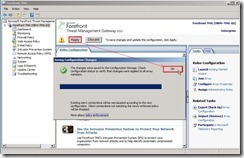 The Firewall Policy will define some policy based on the above setting now.


