網頁

2012年7月23日 星期一

Account Lockout (part 3 of 4)

Last time, I ever use LockoutStatus this utility to track Locked Account status. In the moment, I will use another utility --- eventcombMT.exe to do the same process.

Execute “eventcombMT.exe” by Run as Administrator
ScreenHunter_24 Jun. 29 18.24So do that will launch EventCombMT GUI
ScreenHunter_25 Jun. 29 18.26Click Searches –> Built In Searches –> Account LockoutsScreenHunter_26 Jun. 29 18.26It will automatically select the Account Lockouts condition as DC, Log Files, Event Types and Event ID.
ScreenHunter_27 Jun. 29 18.26Click Options –> Set Output DirectoryScreenHunter_29 Jun. 29 18.30Select a folder to locate the report file later.
ScreenHunter_30 Jun. 29 18.31Due to DC O.S. is Windows Server 2008 R2, not Windows Server 2003, so that we need to change to Event ID of Windows Server 2008 R2 next to click Search button
ScreenHunter_28 Jun. 29 18.29Based on Status to realize whether this process is successful or fail.
ScreenHunter_31 Jun. 29 18.32If it is successful, it will generate the related report file.
ScreenHunter_32 Jun. 29 18.33Of course, we can copy .txt to .csv extension format.
ScreenHunter_33 Jun. 29 18.34Or select Options –> Save Files As CSV Files before execute Search activity.
ScreenHunter_12 Jul. 12 17.36So does that we can use Excel to open .csv this file now.
ScreenHunter_34 Jun. 29 18.41

<<<   Account Lockout (part 2 of 4)

2012年7月15日 星期日

為何不誠實? 奇怪耶!

好久沒有去看電影了!

禮拜五下班後,小孩吵著要去看【冰原歷險記 4 --- 3D】,想想一家人已經有一段時間沒有到電影院,距離上次去看【冰原歷險記 3】,我想也將近2~3年的時間. 剛好手上有兩張華納威秀電影票,是去年參加公司減肥比賽抽獎得來的,且若不使用,今年8/1也要過期.正愁著要如何處理這兩張票,想不到立即派上用場,真是天意.


隔天上午按照既定行程到廟裡拜拜,之後開車到市府轉運站之誠品用餐,後續就步行到電影院,想不到信義商圈如此便利,直接透過類似空中走廊就將附近百貨電影院等周遭商圈串成一塊,彼此間不用過馬路等紅路燈真方便,果然是現代城市建築一項特色.

到了電影院購票處,發現人潮還滿多的,排到我們想看的16:30時間,座位只剩下第一排.若要等下一場選好位置,可能又要2~3小時,由於小孩不願意等,我們就將就坐第一排. 只是因為不常看電影,向售票員要求第一排要坐中間位置,居然給我們第一排17~20, 而19~20的位置是在邊邊,根本不能看! 原本以為因為熱門,16:00購票時僅剩下這些位置,但電影開演時,發現第一排中間也有座位,甚至其它排也有空位(雖然不是四個人連坐),真氣人,為何當初售票員沒有告知?

或許您會覺得,這些座位應該是網路訂位但卻沒有到場的人士所訂? 但經過老婆詢問戲院服務人員得知: 第一排中間位置根本沒有人劃位,故據以力爭後我們位置就改成中間座位. 所以根本就是該單位作業方式: 給爛的位置嗎! 要是消費者默默接受,我看根本就是花錢受氣,雖然此次純粹是陪小孩,因為個人對此片子沒有興趣!

總之, 日後我是不會帶家人到信義華納威秀或者是現場購票,若要去,公館的電影院是會考量,至少人家售票員會誠實告知或提出建議. 或許,這只是個案,僅發生在我個人身上,但若花錢得不到應有的服務與品質,那寧可不要花這些錢.畢竟,現今賺錢不容易. 看一場電影,兩大兩小也要將近1500元的花費阿! 畢竟,休閒娛樂是要讓自己或家人身心放鬆愉快,不是要委屈與受氣.

2012年7月14日 星期六

Account Lockout (part 2 of 4)

In Microsoft Download Center, search and download “Account Lockout and Management Tools”
ScreenHunter_01 Jun. 29 10.53Double-click “ALTools.exe” to extract all on 64-bit Windows Server 2008 R2 platformScreenHunter_06 Jun. 29 14.30The related files will be here.
ScreenHunter_07 Jun. 29 14.31
Scenario
One day, someone tell you that her or his account is locked and want to know what happen. In the moment, how to track this status?

By LockoutStatus utility
Right-click “LockoutStatus.exe” next to click Run as administrator in the menu
ScreenHunter_15 Jun. 29 17.10Click File –> Select Target…ScreenHunter_16 Jun. 29 17.11Key locked account name as “test_2” into Target User Name and its domain name as “dw.com” into Target Domain Name.
If need to use the enough AD right, please enable “Use Alternate Credentials” check box and key in the related data as User Name, Password and Domain Name.
ScreenHunter_17 Jun. 29 17.12Now you can know when this account is locked and which DC lock it.ScreenHunter_18 Jun. 29 17.13Right-click this next to click “Open Event Viewer" in menu
ScreenHunter_19 Jun. 29 17.13In Event Viewer, expand Windows Logs and right-click Security next to click “Filter Current Log…” in menu
ScreenHunter_20 Jun. 29 17.16Key in ID numbers as “4625,4740,4771,4772,4777” next to click “OK” button
ScreenHunter_21 Jun. 29 17.18Now you can see all filtered log
ScreenHunter_22 Jun. 29 17.19Open each log to realize which computer trigger the locked status.
ScreenHunter_23 Jun. 29 17.21Maybe we need to log on this computer to realize what reason trigger the locked happen.
According to common causes for account lockouts (reference 3), sometimes we cannot find the root cause event though follow its suggestion.

Reference
(1). Description of security events in Windows Vista and in Windows Server 2008
     or  Description of security events in Windows 7 and in Windows Server 2008 R2
(2). Standalone Utility --- Account Lockout Status (LockoutStatus.exe)
(3). Common Causes for Account Lockouts

<<<   Account Lockout (part 1 of 4)

2012年7月9日 星期一

Set RPC Dynamic Range port on Any Servers

In the DFSR mechanism, it always use RPC Dynamic port to communicate with DC when want to generate the Health Report.
Due to the firewall locates between DFSR Server and DC, so I need to set RPC Dynamic port to fixed port on DC.
How to do it? Add the registry entity,key and value!

Add Registry Entity
By Registry Editor, explore “HKEY_LOCAL_MACHINE\Software\Microsoft\Rpc" and right-click “Rpc" next to click “New", "Key" in menuScreenHunter_15 Jun. 30 16.10Write down “Internet"
ScreenHunter_16 Jun. 30 16.11
Add Registry Key and Value
Right-click “Internet" next to click “New", "Multi-String Value" in menu
ScreenHunter_17 Jun. 30 16.12Write down “Ports
ScreenHunter_18 Jun. 30 16.13Right-click “Ports” and click “Modify…”
ScreenHunter_19 Jun. 30 16.13Write down “5000-5100” in Value data field next to click “OK” button
ScreenHunter_20 Jun. 30 16.14Right-click “Internet" next to click “New", "String Value" in menu
ScreenHunter_21 Jun. 30 16.14Write down “PortsInternetAvailable
ScreenHunter_22 Jun. 30 16.15Right-click “PortsInternetAvailable” and click “Modify…”
ScreenHunter_23 Jun. 30 16.16
Write down “Y” in Value data field next to click “OK” button
ScreenHunter_24 Jun. 30 16.16Right-click “Internet" next to click “New", "String Value" in menu
ScreenHunter_25 Jun. 30 16.17Write down “UseInternetPorts
ScreenHunter_26 Jun. 30 16.17
Right-click “UseInternetPorts” and click “Modify…”
ScreenHunter_27 Jun. 30 16.18Write down “Y” in Value data field next to click “OK” button
ScreenHunter_28 Jun. 30 16.18Now we have already finished the registry setting.
ScreenHunter_29 Jun. 30 16.18Restart this Server so that all applications use RPC dynamic port will run on between 5000 and 5100.

In the moment, the firewall need to create a rule for TCP/5000-5100 from DFSR Server to DC. So does that the health report will be generated now.

For reference KB 154596

2012年7月7日 星期六

one-way DFSR on Windows Server 2008 R2 (part 3 of 3)

By default, the Replication Group Schedule is real time and 512 Kbps bandwidth usage.
ScreenHunter_03 Jul. 01 10.19
If the source(VBHV-FS-01) and destination(VBHV-FS-11) just only have empty folder,its replication mechanism is very simple --- put data to VBHV-FS-01 and data will replicate to VBHV-FS-11.

If the source and destination folder has the different data on replicated folder, it will occur the DfsPrivate folder to handle the conflict or delete status.
ScreenHunter_04 Jul. 01 10.34
If you want to delete data on the destination(VBHV-FS-11),
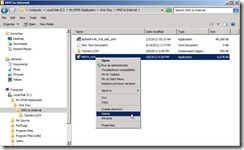
ScreenHunter_39 Jun. 30 17.00the file access denied message will show up because this folder attribute is read-only.
ScreenHunter_40 Jun. 30 17.00
If you want to correct replication schedule, you can do the following process:
Click “Connections” tab and select one connection you want to correct it next to click “Properties” link
ScreenHunter_05 Jul. 01 10.49Click “Schedule” tab and select “Custom connection schedule” option next to click “Edit Schedule…” button
ScreenHunter_06 Jul. 01 10.49Click “Details >>” button
ScreenHunter_07 Jul. 01 10.50Select one Day as “Sunday” next to click “Edit…” button
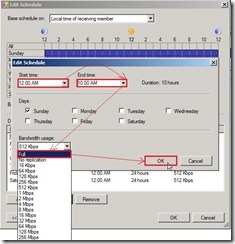
ScreenHunter_08 Jul. 01 10.51Select Start time, End time and bandwidth next to click “OK” button
ScreenHunter_11 Jul. 01 11.05Click “OK” button to complete edit schedule
ScreenHunter_12 Jul. 01 11.06The schedule type also change to “Custom Connection Schedule”
ScreenHunter_13 Jul. 01 11.06
If you want to force replication data from source to destination and doesn’t change the schedule setting, you can execute command as “dfsrdiag syncnow /partner:<Source Computer Name> /RGName:<Replication Group Name> /member:<Destination Computer Name> /Time:1” in VBHV-FS-01 console.
ScreenHunter_14 Jul. 01 11.57
If you want to quickly get any change as new DFSR connection creation, you can execute command to poll AD in DFSR Server console after AD replication finish.
ScreenHunter_05 Jun. 15 18.56
If you want to know replication health, please select one replication group name as “One Way Replication with the same Folder Name” next to click “Create Diagnostic Report…” link.
ScreenHunter_07 Jun. 30 15.14Select “Health report” option next to click “Next >” button
ScreenHunter_08 Jun. 30 15.14Choose Report path as “C:\DFSReports” next to click “Next >” button
ScreenHunter_09 Jun. 30 15.15Choose Included members as “VBHV-FS-01”,"VBHV-FS-11” next to click “Next >” button
ScreenHunter_10 Jun. 30 15.15Select “Yes, count backlogged files in this report” and Reference Member as “VBHV-FS-01”, enable “Count the replicated files and their sizes on each member” check box next to click “Next  >” button
ScreenHunter_11 Jun. 30 15.15Click “Create” button
ScreenHunter_12 Jun. 30 15.15Generate report in process
ScreenHunter_13 Jun. 30 15.16Now the Health Report has already been generated.
ScreenHunter_14 Jun. 30 15.24


<<<   one-way DFSR on Windows Server 2008 R2 (part 2 of 3)

Since 2010 Design by Davidwa
©Copyright Davidwa Inc. All rights reserved.